Modules
Fund A Need
Cashier paddle-raise entry, online pledges, manual cash and check pledges, and a live thermometer toward your goal.
Fund A Need runs the direct-appeal moment of your event: the room raises paddles, a cashier records each amount, online and offline pledges flow into the same total, and a thermometer climbs toward your goal in real time.
Set the goal
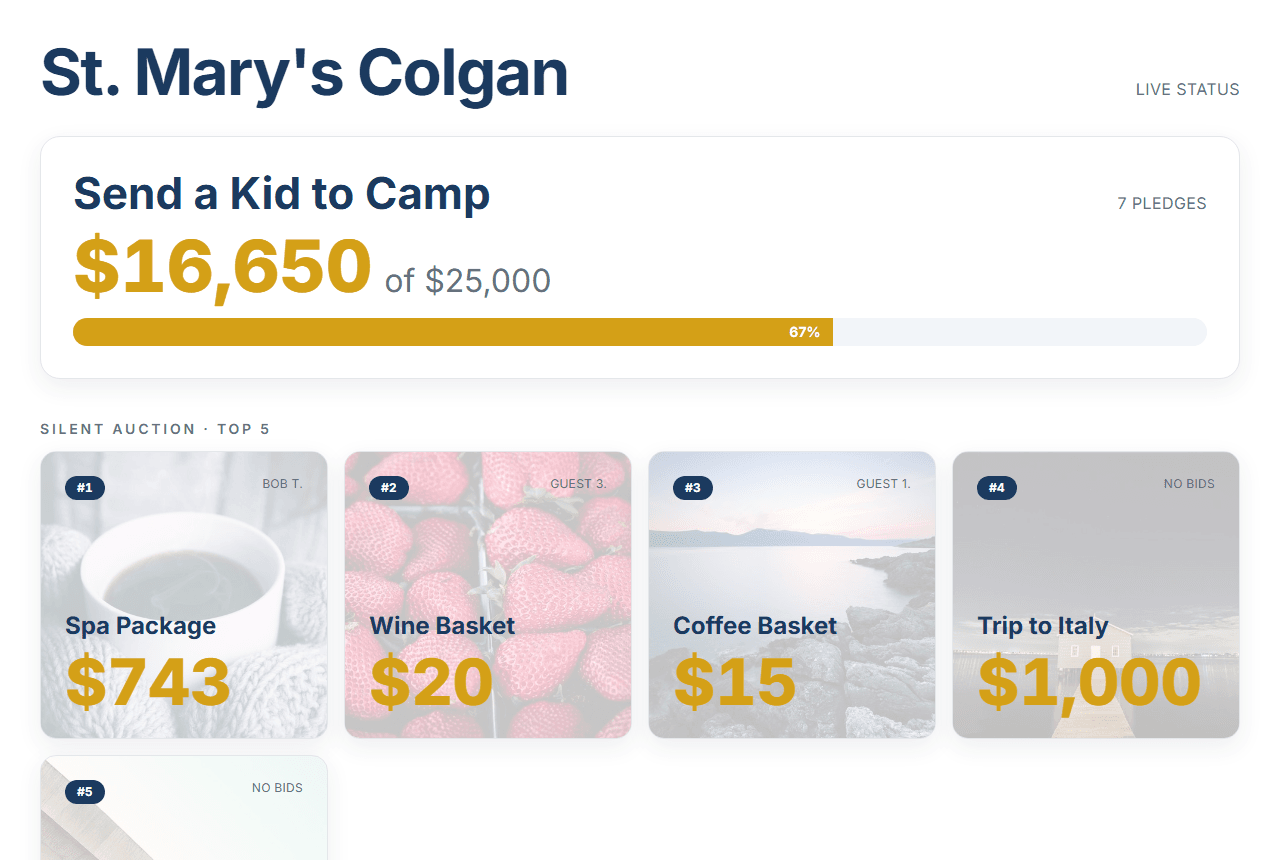
Create a Fund A Need campaign with a name, a description of what the money funds, and a dollar goal. The goal drives the progress display — guests see what you're raising for and how close the room is.
Paddle-raise at the podium
During the live appeal, a cashier enters a paddle number and an amount; the platform resolves the paddle to the guest who holds it and records the pledge instantly. It's built for speed — when the auctioneer calls "ten at five hundred," your team can keep up.
Online and manual pledges
Guests who'd rather give from their seat open the campaign page and pledge a preset or custom amount, paying through your processor. For cash and checks handed to a volunteer, the same admin form records a manual pledge with a note ("Check #1234") — every source lands in one running total.
Live progress on the board
A thermometer shows the raised amount against the goal, and it updates as pledges come in — on the campaign page and above the auction tiles on your event status board. Putting the climb on the big screen is what turns a good appeal into a great one.
Related: Donations and Running an event.
Last updated Sat Jun 13 2026 00:00:00 GMT+0000 (Coordinated Universal Time) · Edit this page